
Basic configuration
Explains how to use custom pickup point information for click and collect trackers
Set up your Click & Collect data
For Click & Collect orders, Shipup needs to know which pickup point is associated with each order and have the information required to describe that pickup point to your customers.
This relies on two sets of data:
- Tracker data — sent with each Click & Collect order.
- Pickup point data — uploaded to Shipup and containing the details of your stores or collection locations.
The two are connected using a unique pickup point identifier.
How does it work?
- Each pickup point in your store information must have a unique
merchant_id. - When you send a Click & Collect tracker to Shipup, include that same identifier in the
pickup_point_merchant_idfield. - Shipup uses these two fields to match the tracker with the corresponding pickup point:
tracker.pickup_point_merchant_id→pickup_point.merchant_id
For example, if your pickup point has:
merchant_id = STORE_PARIS_01
the tracker for an order collected from this store should contain:
-
pickup_point_merchant_id = STORE_PARIS_01
Once the match is made, Shipup can retrieve the store's name, address, opening hours, and other information and use it throughout the Click & Collect experience.
Information required on the tracker
For each Click & Collect tracker, provide:
Carrier code
To ensure Click & Collect orders are correctly identified in Shipup, they must be associated with the In-Store Collection carrier.
How you do this depends on how you send your tracker data to Shipup.
If you use the API or SFTP
Send in_store_collection as the carrier_code for each Click & Collect tracker. This tells Shipup that the order is a Click & Collect order rather than a shipment handled by a carrier.
If you use carrier mapping
If the carrier value you send cannot be changed to in_store_collection, you need to map your existing carrier value to In-store Collection in the Shipup back office.
For example, if you send my_store as the carrier, map my_store to In-Store Collection.
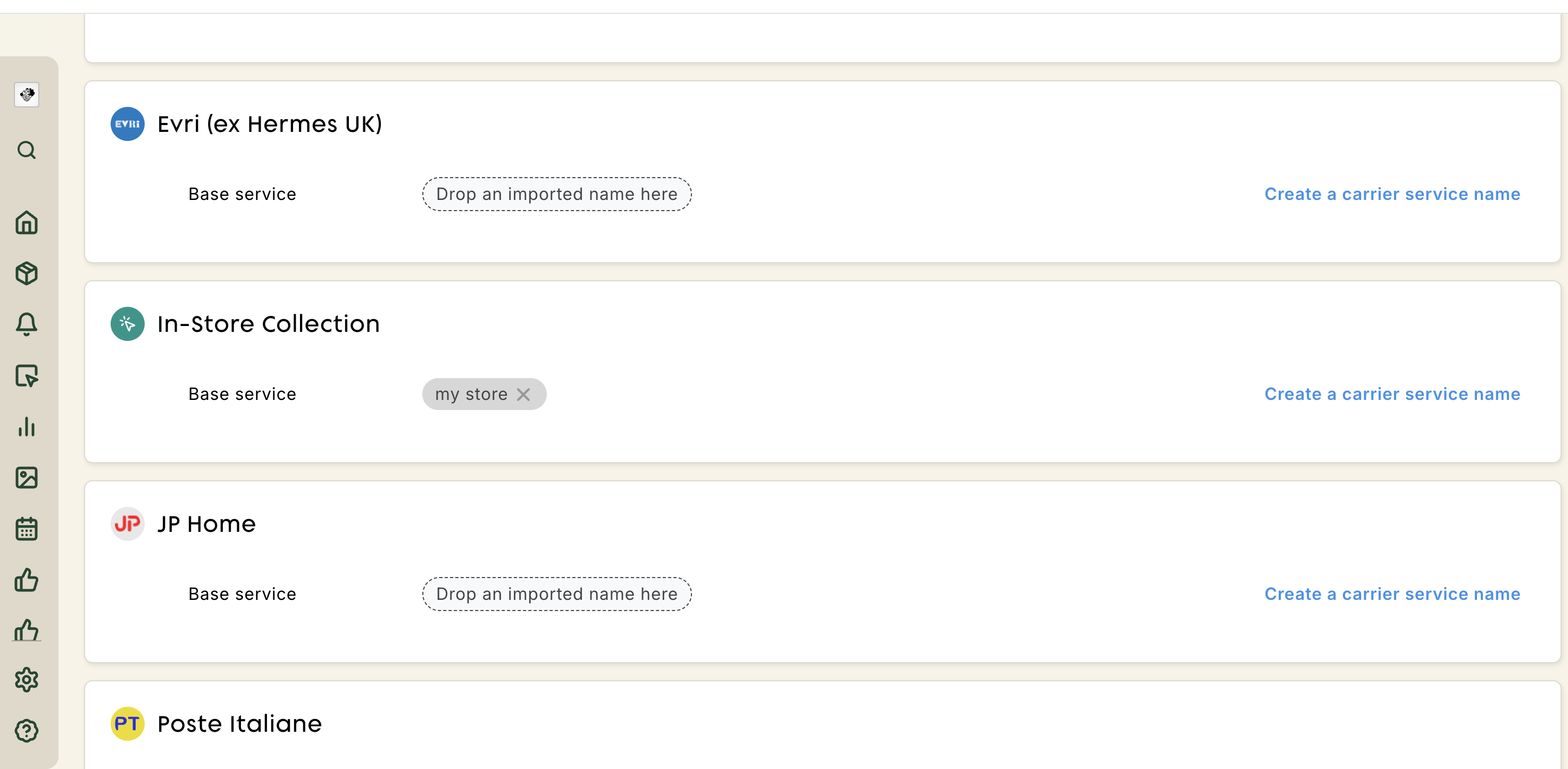
For instructions on configuring carrier mappings, see Carrier service matching.
Pickup point merchant id
The identifier of the pickup point where the customer will collect their order.
Its value must exactly match the merchant_id of one of the pickup points uploaded to Shipup.
| Field | Required | Description | Example |
|---|---|---|---|
pickup_point_merchant_id | Yes | Identifier used to associate the tracker with a pickup point | STORE_PARIS_01 |
Important: The same identifier must be used in both the tracker and your pickup point data. If Shipup cannot find a matching
merchant_id, the store information cannot be associated with the order.
What's next?
Once you have identified the pickup_point_merchant_id to send with your trackers and prepared the information for each pickup point, you can upload your pickup point data to Shipup.
Updated 2 months ago